Version v1.19.41.2 of Freely is now available and will be rolled out to your TV. Your TV should update automatically.
You can check if you are on the latest version of the software by visiting the 'Settings' menu on Freely and selecting 'Software Updates'. Follow the steps on screen to update. For more help on how to update your software, visit our FAQ
In this update
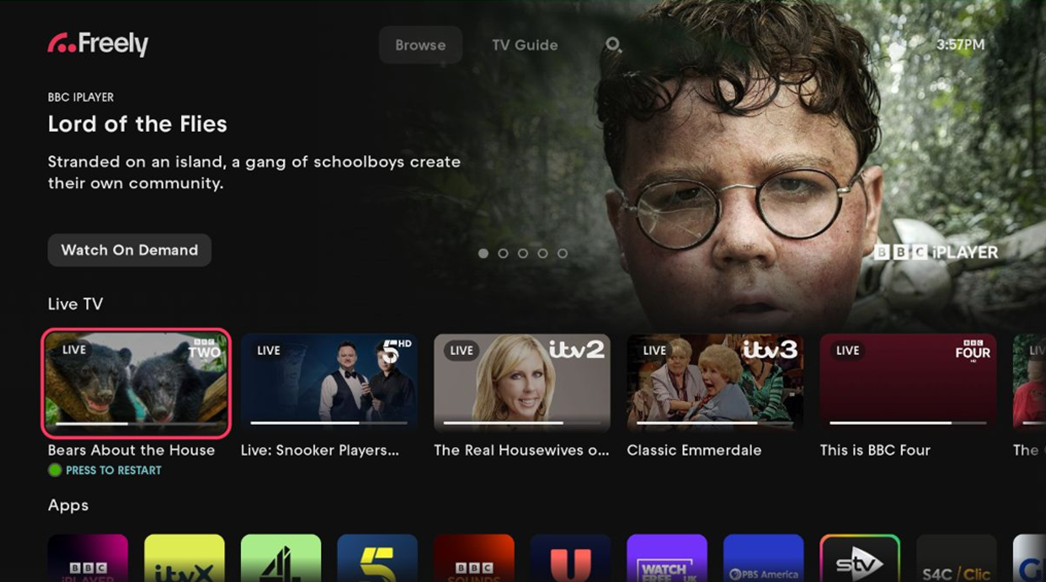
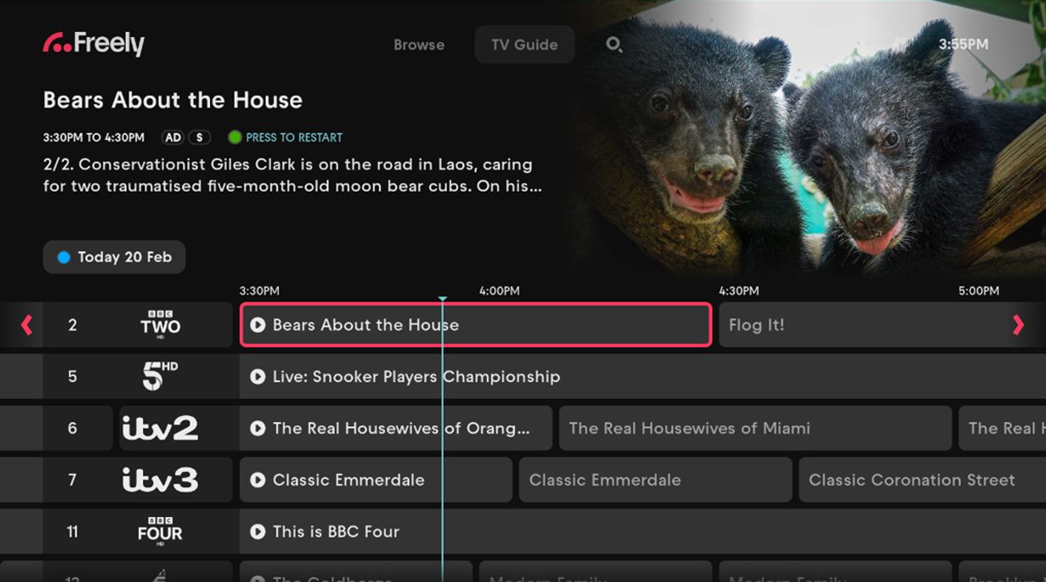
Signposting of Restart
You can now restart a live programme directly from:
- the Live TV rail on the Browse screen, and
- the TV Guide
This helps you avoid spoilers and start watching from the beginning whenever a programme is already in progress.
When you focus on a live TV tile on the Browse screen, or a programme cell in the TV Guide, a clear on‑screen prompt is shown: PRESS GREEN TO RESTART
Bug Fixes
Various Bug fixes to help improve overall user experience and stability of Freely.
Performance Improvements
Various performance improvements focused on the Freely Browse screen.