Version v1.21.43.4 of Freely is now available and will be rolled out to your TV. Your TV should update automatically.
You can check if you are on the latest version of the software by visiting the 'Settings' menu on Freely and selecting 'Software Updates'. Follow the steps on screen to update. For more help on how to update your software visit our FAQ
In this update
Mini Guide - Actionable on Next: You can now open the On Next tile in the right of the mini guide to see more options straight away. Choose Watch Now, add it to My List, or explore more episodes. If the next programme is available on demand, you do not need to wait for it to go live. You can watch it when it suits you or add it to My List as a reminder for later. It is a quicker way to find what you want and make sure you do not miss out.

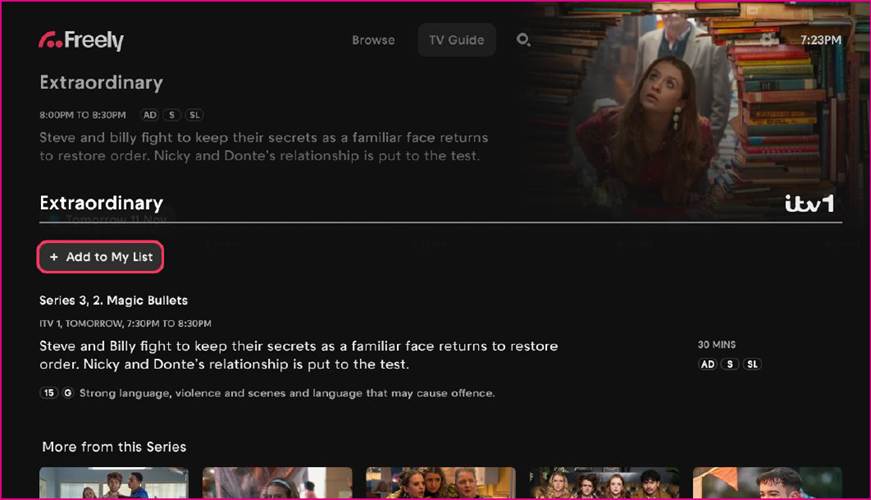
Linear My List: You can now add individual TV episodes directly to My List, making it easier to keep track of what you want to watch. You’ll see when the episode is next airing, or you can watch it straight away if it’s available on demand. To take advantage of this feature, simply select ‘Add to My List’ from any episodic content from the TV guide.
Bug Fixes and Performance Improvements
Various Bug fixes and Performance Improvements to improve overall user experience and stability of Freely.