Got a new Freely TV or Streaming Device? Win! Check out these setup instructions for handy hints. Still struggling to connect? We’ve got you.
Freely works with your Wi-Fi. No dishes, no need for an aerial. But, if you want to include channels via an aerial, you can connect to an aerial too.
All Freely TV or Streaming Devices come with setup instructions, but check out the steps below if you need some extra tips!
How to connect your TV or Streaming Device to the internet
- First, check your router is plugged in and connected. You can set up an internet connection with your TV or Streaming Device through Wi-Fi or a wired (Ethernet/LAN cable) connection (recommended if available). If you're using a cable, connect it before you switch on your TV.
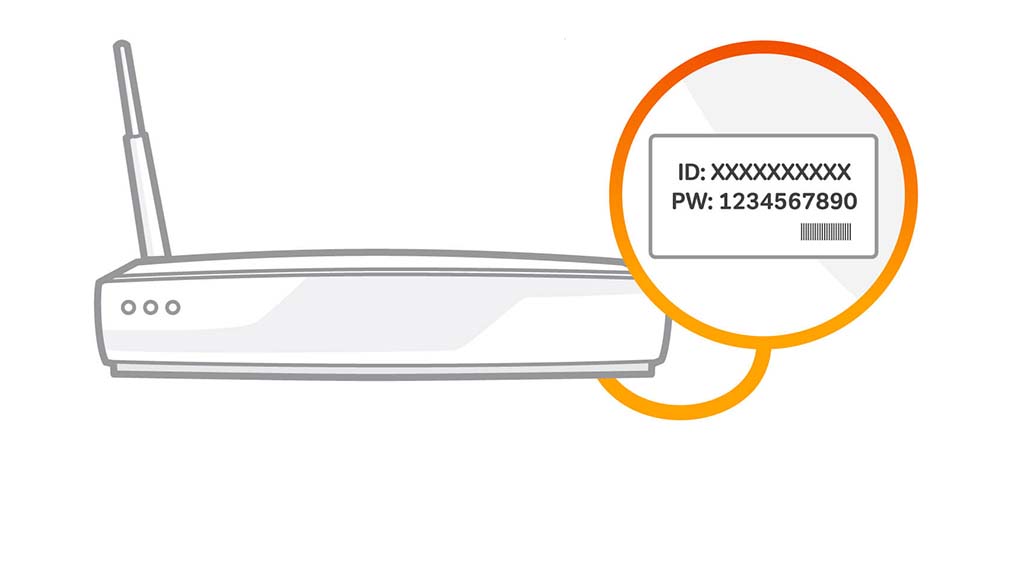
- When you switch on your TV or Streaming Device for the first time, follow the setup instructions. You'll be asked to pick your internet connection and enter your password. Can’t remember? Check the bottom of your router (Wi-Fi only)!
- If you're connecting via a wired (Ethernet/LAN cable) connection (recommended if available), you'll connect automatically.
Other things to remember
- A minimum broadband speed of 10Mbps is recommended to watch Freely. This will count towards any monthly broadband data allowance you may have.
- Whichever TV service you use, or the TV or Streaming Device you watch it on, you'll need to check if you need a TV Licence.
- If you're having trouble connecting, check your connection speed and signal strength or get in touch with your broadband provider.
- If you need more support, it's best to speak to the manufacturer.
How to reconnect to the internet or change your Wi-Fi connection
If your TV or Streaming Device is already set up and you need to reconnect to the internet or connect to a different Wi-Fi, visit the settings menu and select Connection.
How to connect your aerial (TV only)
If you've chosen to top up your channels with an aerial connection, here's what to do.
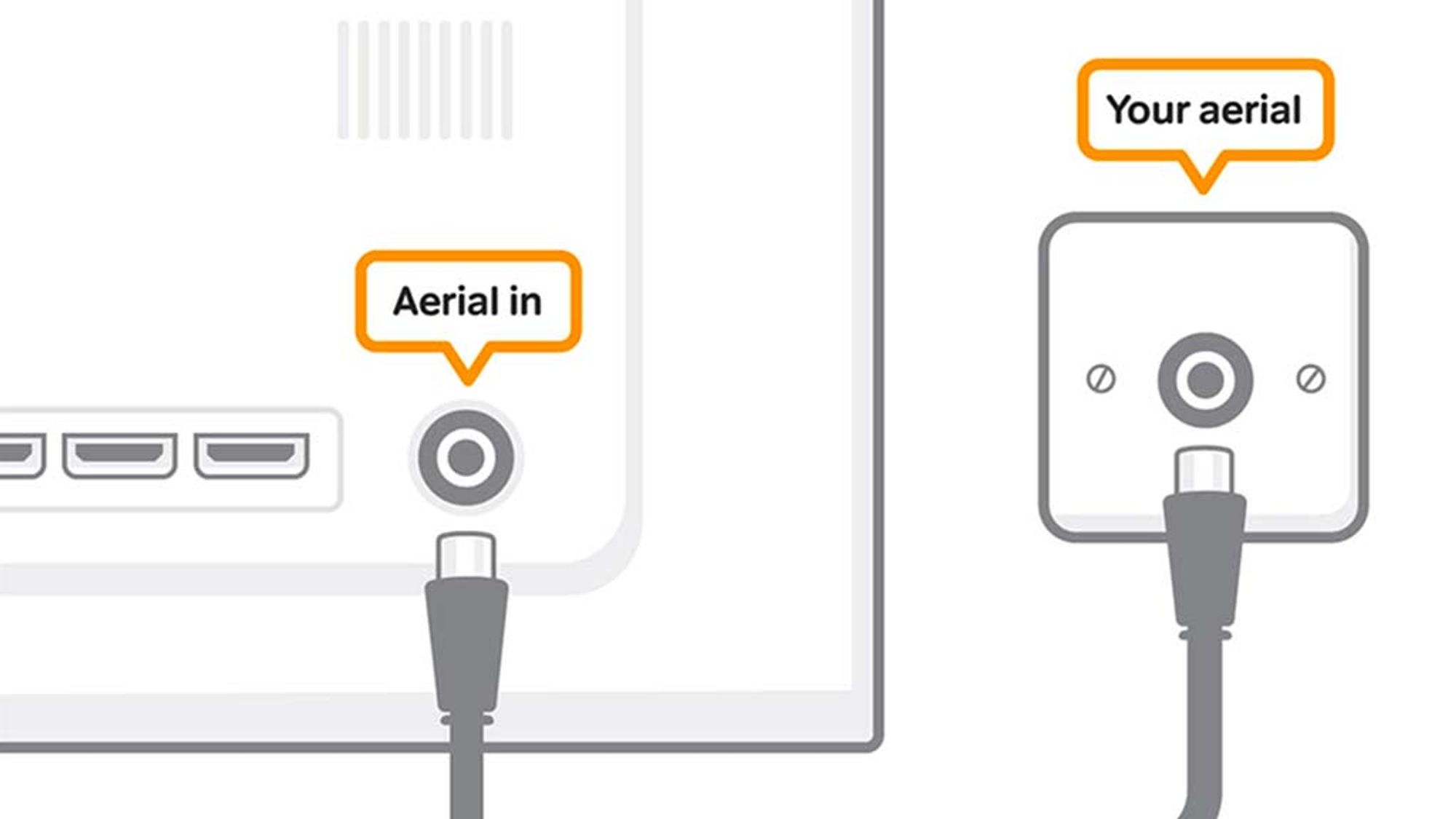
- Your TV should either be near the aerial point in your room, or you should have an aerial lead long enough to reach the aerial point.
- Once you've worked out where to put your TV, plug your aerial lead into the aerial socket on your TV.
- The socket may be labelled RF in, Antenna, Aerial, or Ant in.